
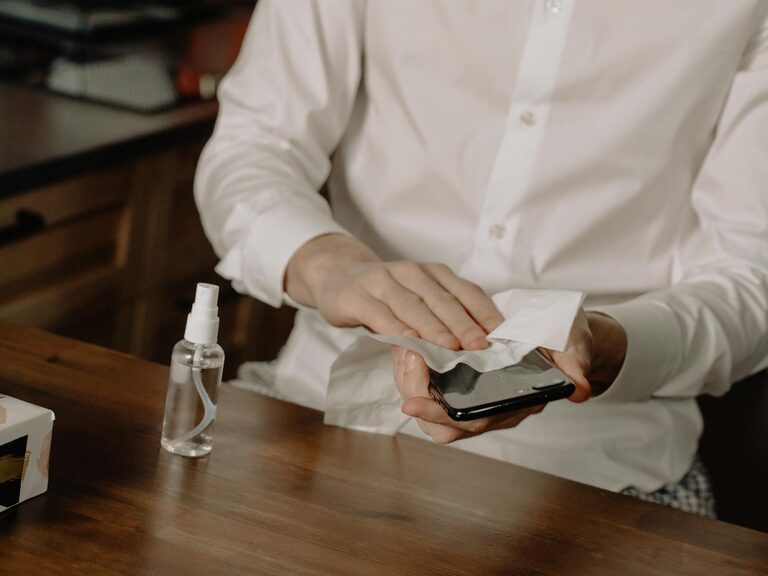
Keeping your phone and keyboard clean is essential not only for hygiene but also for maintaining the functionality of your devices. Everyday use exposes these gadgets to dust, oil, dirt, and germs, which can build up over time. However, cleaning them incorrectly can cause damage. In this post, we’ll guide you through safe and effective steps to clean your phone and keyboard thoroughly.
Why Clean Your Phone and Keyboard?
Both your phone and keyboard are high-touch surfaces, often exposed to germs and particles. Phones accompany you everywhere, picking up bacteria from hands, pockets, and surfaces. Keyboards accumulate dust, food particles, and oils from your fingers. Regular cleaning can:
– Reduce the risk of spreading germs
– Improve device responsiveness and longevity
– Enhance appearance by removing smudges and grime
What You’ll Need for Cleaning
Before starting, gather these supplies to ensure you clean safely:
– Microfiber cloths (soft, lint-free)
– Isopropyl alcohol (70% or less) or disinfecting wipes safe for electronics
– Distilled water
– Cotton swabs
– Compressed air canister
– Small soft brush (optional)
Avoid using harsh chemicals, bleach, or abrasive materials.
How to Clean Your Phone Safely
Step 1: Power Off Your Phone
Begin by turning your phone off and unplugging any cables or accessories. This prevents potential damage from moisture and avoids accidental input.
Step 2: Remove the Case and Screen Protector
Take off any phone case or screen protector to clean all surfaces thoroughly. Clean the case separately with soap and water if it’s plastic or silicone.
Step 3: Wipe with a Microfiber Cloth
Dampen a microfiber cloth slightly with a mixture of equal parts distilled water and isopropyl alcohol (up to 70%). Avoid saturating the cloth to prevent liquid from entering openings. Gently wipe the screen, back, and sides of the phone.
Step 4: Clean Ports and Buttons
Use a dry cotton swab or a soft brush to remove dust from ports and buttons. Avoid inserting anything sharp that could damage the components.
Step 5: Dry and Replace Accessories
After cleaning, let the phone air dry completely before putting the case and screen protector back on and turning it on.
How to Clean Your Keyboard Safely
Step 1: Unplug or Turn Off Your Keyboard
For wired keyboards, unplug them. For wireless ones, turn them off or remove batteries to prevent accidental key presses.
Step 2: Remove Loose Debris
Turn the keyboard upside down and gently shake it to dislodge crumbs, dust, and small debris. You can also use a compressed air canister to blow out particles between the keys.
Step 3: Wipe the Surface
Dampen a microfiber cloth with the same water-alcohol mixture mentioned earlier. Wipe the keyboard’s surface and keys carefully, paying attention to spaces between the keys.
Step 4: Clean Between the Keys
For thorough cleaning, use cotton swabs dipped in the cleaning solution to reach tight spaces. Alternatively, a soft brush can help dislodge stuck dirt.
Step 5: Optional Deep Cleaning (Mechanical Keyboards)
If you have a mechanical keyboard, consider removing the keycaps using a keycap puller to clean underneath. Soak the keycaps in warm soapy water, dry them completely, and wipe down the keyboard base before reassembling.
Step 6: Let It Dry
Allow the keyboard to dry fully before reconnecting or turning it on.
Tips for Maintaining Clean Devices
– Wash your hands before using your phone or keyboard
– Avoid eating or drinking near your devices
– Clean your devices regularly—once a week or as needed
– Use screen protectors and keyboard covers to reduce dirt buildup
What to Avoid When Cleaning
– Do not spray cleaner directly onto your phone or keyboard
– Avoid using household cleaners like window sprays, bleach, or ammonia
– Never immerse electronic devices in water
– Avoid abrasive cloths or paper towels that scratch surfaces
Final Thoughts
Cleaning your phone and keyboard doesn’t have to be complicated. With just a few simple tools and precautions, you can keep your devices looking good and free of harmful germs. Regular, gentle cleaning extends the lifespan of your electronics and helps maintain a healthier workspace.
Make cleaning part of your routine to enjoy your tech at its best!